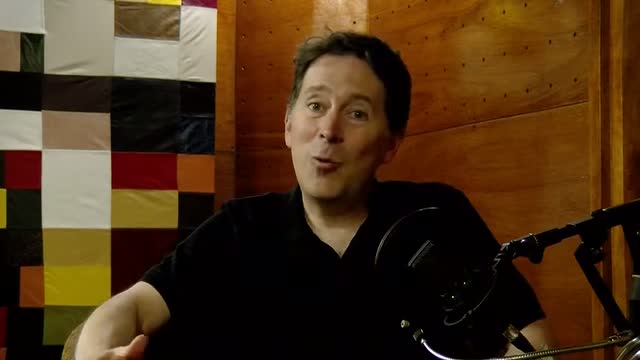
Upload one long video and get a month of vertical clips. We find the moments worth posting, reframe them to 9:16, and burn the captions in — no timeline, no editing.
Connect your creative workflow without losing momentum.
Hover to pause
Twitch
YouTube
TikTok
Instagram
Kick
Twitch
YouTube
TikTok
Instagram
Kick
How it works
From one upload to a week of posts.
No timeline, no export presets, no subtitle file to hunt down. Three steps, and only the last one is yours.
01
Drop a file or a link
Upload MP4, MOV, AVI, MKV or WEBM up to 500 MB, or paste a YouTube link and let the importer fetch the source for you.
02
We cut, caption, and reframe
Your video is split into short moments, each one transcribed, captioned, and reframed to a full 9:16 frame while a live progress bar tracks the render.
03
Preview, download, post
Open the clips in your project library, preview them, and download the vertical MP4 that is ready to publish. No export settings to touch.
The models
One model finds the moment. The other frames it.
Two jobs, no manual pass in between: choosing what is worth posting and making it fit a phone screen.
00:12 · 24s
01:47 · 18s
03:05 · 31s
Model 01
Clip detection
Long-form video is cut into short, self-contained moments instead of random slices. Every clip arrives with its own start time, duration, and thumbnail, so you can scan a whole episode in seconds.
✓Works from the audio and the transcript
✓One clip per publishable idea
✓Thumbnail previews for every result
16:9 source
9:16 · captions
Model 02
Reframe and captions
Each result is written to a 1080 × 1920 frame in 9:16, filled edge to edge, and captioned from the transcript before it is encoded. The file you download is already the file you post.
✓1080 × 1920 vertical output
✓Captions burned into every frame
✓Language detected from the audio
Publishing routine
Your posting week, planned in one sitting.
Clipping is the bottleneck, not the idea. Once the clips exist, the rest is a calendar you fill once and a library you come back to.
Every project keeps its clips, previews, and thumbnails together, so you open one library instead of hunting through downloads and only export what you will actually publish.
Schedule and connect channels
Pro adds automatic scheduling and five connected channels, so a week of posts is planned once instead of daily.
Scale past one creator
Unlimited clips and 4K export on Pro, unlimited channels and a shared workspace on Agency, for teams that produce more than one show.
Built for creators
The output is what you would have exported anyway.
Everything below is the pipeline's own specification, not a promise about reach: the format, the batch size, and the state the file is in when it reaches you.
1080 × 1920
The exact size of every export
Vertical on arrival: no crop step, no ratio to pick, no letterboxed frame to fix later.
20 clips
From a single source video
A one-hour episode comes back as a batch of short moments instead of one more file to edit.
0 exports
Manual renders to remember
Captions are burned in before the clip is encoded, so the download is the publishable file.
500 MB
Per upload, files or links
Send a file straight from disk or paste a YouTube link; both land in the same pipeline.
Bring one long video and see what the pipeline returns before you commit to a plan.
Anything not covered here is documented in the product itself: the upload panel lists the accepted formats and the size limit before you commit a file.
What can I upload?
MP4, MOV, AVI, MKV or WEBM up to 500 MB, or a YouTube link. Both routes end in the same pipeline, and a rejected file is refused before any processing starts.
What exactly do I get back?
For every clip: a 1080 × 1920 MP4 with the captions already burned in, a thumbnail, and a preview you can play in the browser before downloading anything.
Can I edit the captions afterwards?
Captions are generated from the transcript and burned into the frame before the clip is encoded, so the downloaded MP4 is the final file. Changes mean a new render from the source, not a text layer to fix later.
Which languages are supported?
The language is detected from each video’s own audio, so you do not pick it before uploading. The transcript follows the language that is actually spoken.
How long does a render take?
It depends on the length of the source. The busy state shows a live progress bar with the current fragment, so a long render is something you can watch rather than guess about.
Do I need a credit card to start?
No. Create an account, upload a video, and only choose a plan when you need more clips. The Starter and Pro plans and their limits are on the pricing page.
Start with one video
Post more of what you already recorded.
One upload is enough to see whether the clips are worth publishing. If they are not, you lost ten minutes, not a weekend.